Log in Sign up

Start a conversation
in a click

Video meetings that feel effortless. Start instantly, invite anyone, collaborate with your team, and manage your workspace from anywhere.
Explore Features
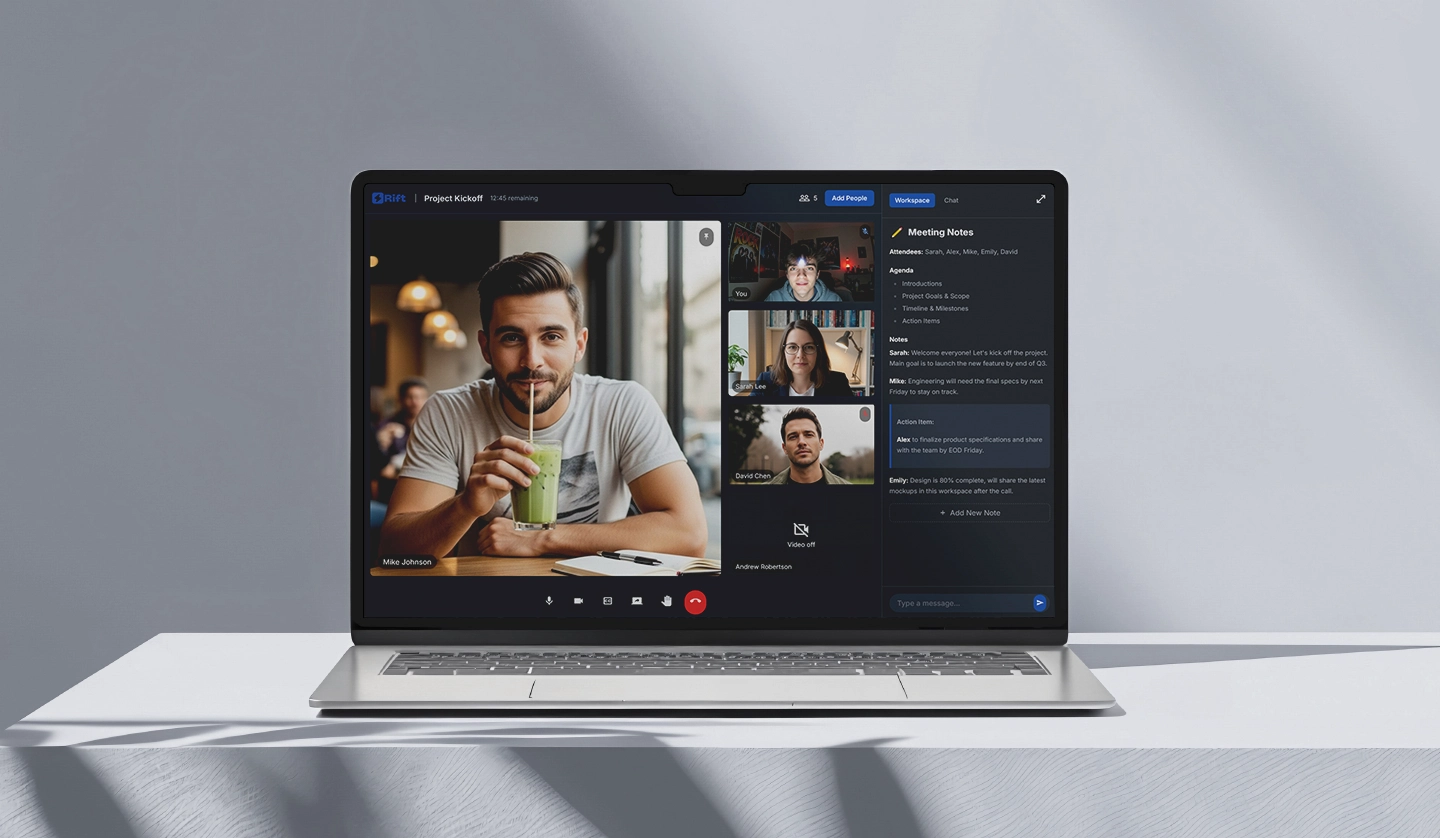
Rift UI interface

Trusted by people and companies worldwide

Headspace WeWork Ogilvy Zerion Revolut
Workspace view

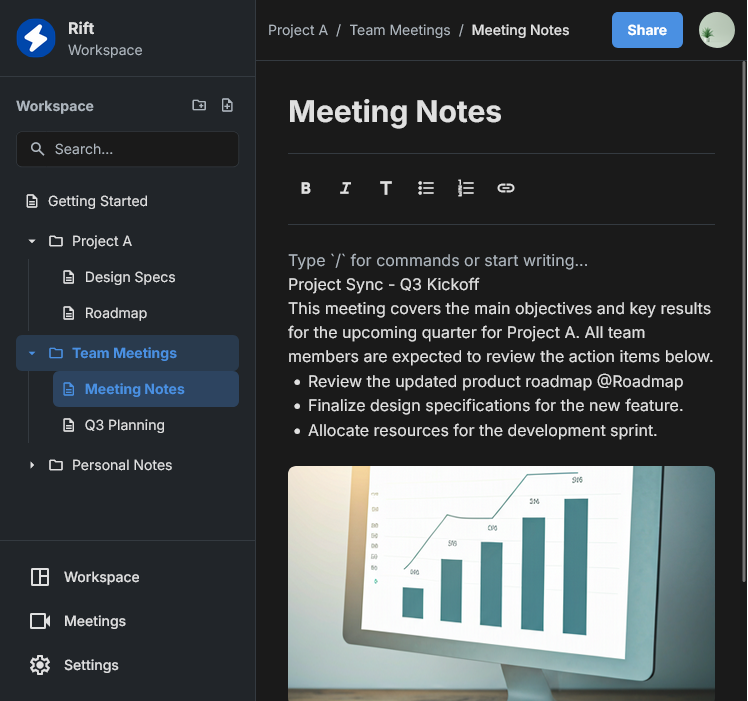
Connect on calls, think in docs

Rift brings HD video, reliable screen sharing, and a built-in workspace together. Designed to make remote collaboration as simple and effective as possible.

Check

HD Calls & Screen Share

High-quality calls with adaptive bitrate and crisp screen sharing for demos, reviews, and support.

Check

Workspace

Create pages, link ideas with backlinks, and keep knowledge organized next to your calls.

All-in-one platform for effortless online meetings and collaboration

Meeting Rooms

Instant Meeting Rooms

Create secure video rooms in seconds and invite anyone with a simple link. Compatible with Windows and macOS.

Workspace

Workspace

Easily organize your team's notes and files. Link pages, keep docs together, and share everything right in one place.

Security

End-to-End Encryption

Enjoy complete privacy with end-to-end encryption for all your audio, video, and data transmissions.

Transcripts

Cloud Recording & Transcripts

Record important calls and reference searchable transcripts so you never miss a detail.

Our clients have shared their experiences

5 stars

Amazing 10/10

Excellent application with no glitches. Audio clarity is outstanding. I really liked that there aren't keyboard shortcuts for toggling video and audio, which prevents accidental activation. Amazing app!!!

Google User

A Google User

5 stars

Great for webinars!!!

The switching between speakers during calls is smooth and well-designed. Video quality is solid.

Richardo Trotman

Richardo Trotman

5 stars

Surprisingly good

We've been using this platform for a few months. Perfect! Please add more colours like pink and brown in annotation feature.

Ron Li

Ron Li

5 stars

10/10 would recommend👌🏼

We can now hold meetings with our clients and partners without the need for travel. It's been a great way to stay connected and collaborate effectively.

Kristin Watson

Kristin Watson

5 stars

Solid

Great but sometimes bitrate drops on Samsung S7 Edge.

Aashish Kumar

Aashish Kumar

5 stars

5/5

Nice voice and clear vidéo.

Angelo Jay Jay Daingihe

Angelo Jay Jay Daingihe

5 stars

Overall great app

Absolutely great app. Another prove that Rift beats Zoom.

Artur Hryhorenko

Artur Hryhorenko

A better way to work together

Everything you need to run productive meetings.

01

Create your space

Instantly spin up a secure meeting room. Send the link to your team, or invite guests. No downloads required for participants to join the call.

02

Meet and collaborate

Share your screen in vivid 4k resolution. Work together on documents directly inside the meeting without juggling multiple tabs.

03

Save the knowledge

Close the room, and the meeting notes stay behind organized in your workspace. Search past calls or review AI-generated transcripts.

Frequently asked questions

Clear answers about Rift

Encrypted Data Icon

Your Data is Protected

All your conversations, files, and data are encrypted end-to-end. Your privacy and security are our top priorities.

What is Rift?
Rift combines HD video meetings with a built-in workspace, so you can meet and capture decisions in one place.
Does it work offline?
Your workspace is available offline. Video calls require an internet connection.
How good is screen sharing?
Rift supports up to 4K resolution with adaptive bitrate streaming. Automatic quality adjustment based on bandwidth.
How is my data protected?
Data is end-to-end encrypted in transit (TLS). Docs are stored locally with encryption at rest.
Which platforms are supported?
Rift is currently available as an app for both Windows and macOS platforms.

Ready to start?

Join thousands of modern teams holding more productive, focused meetings.